Hello all,
So, I have a problem with Word imports since I installed DOORS 9.6 in my computer. When I launch the "Export to Doors" macro from Word, the window disappear right after I click the "Export" button, and then the script stops suddenly. More precisely, I can fill all the fields from the main interface without any problem, and then two cases appears: - If I want to import my Word document into an opened module, Word tells me that the information will be apended in the opened module, as usual, and then nothing more happens once I closed the pop-up - If I want to import my Word document into a new module, the module is well created in my current DOORS location, but then the scripts stops also as nothing more happen.
So, I can conclude than the connection from WORD to DOORS is working fine, but I can't figure out why the import operation won't launch. For information, I tried to use the Word template (the one with the "Export to DOORS" macro) provided with DOORS 9.6, DOORS 9.3 and DOORS 8.3, the result is always the same.
Also, I don't have any other version of DOORS locally installed (I do have a virtualized installation of DOORS 9.3 though, but I can't connect to it from Word).
Is it a known bug and do someone had the same problem? I did not find anything on this subject and, before reporting an incident to IBM, I just want to check if there are other people with the same issue or if someone know how to correct the problem.
Thank you, and Best Regards, Arnaud Espagne
ArnaudEsp - Mon Oct 26 12:20:13 EDT 2015 |
Re: Export from WORD to DOORS 9.6 doesn't start Have you tried using different source .doc files? Try a very simple one with just a single line of text. Just to make sure DOORS is not choking on some formatting issue with your document. Are you sure Word is using the correct .dot macro file? Just to be sure delete all the macro files from the macro file-system location and confirm that Word no longer has any macro available when it runs. Then add the 9.6 macro back into the macro location. Just to be sure it is picking up the correct version. What version of Office are you running? Sean |
Re: Export from WORD to DOORS 9.6 doesn't start Hello, and thanks for replying,
I didn't have the time to test tour solutions as I figured out before how to resolve my issue.
To make the import work, I had before to launch an import with both DOORS and Word in running in Administrator mode. By doing that, I suppose some Environment variables and/or registry key had been setted, and now the import works also when I use DOORS without Administrator rights. The cause of the issue might come from the fact I had another DOORS version previously installed, and maybe not deleted properly.
Best Regards, Arnaud Espagne
|
Re: Export from WORD to DOORS 9.6 doesn't start ArnaudEsp - Tue Nov 03 06:26:52 EST 2015 Hello, and thanks for replying,
I didn't have the time to test tour solutions as I figured out before how to resolve my issue.
To make the import work, I had before to launch an import with both DOORS and Word in running in Administrator mode. By doing that, I suppose some Environment variables and/or registry key had been setted, and now the import works also when I use DOORS without Administrator rights. The cause of the issue might come from the fact I had another DOORS version previously installed, and maybe not deleted properly.
Best Regards, Arnaud Espagne
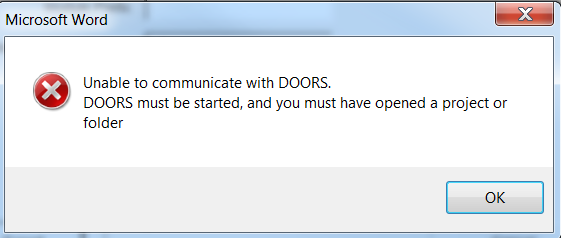
Hello All, I tried closing outlook and also launched both word and DOORS as an administrator, but still did not work. I have 50 documents to be imported, kindly let me know how can I do the import. The documents also has tables, diagrams etc. Please help me out. Regards Attachments Screenshot_DOORS_ImportError.png |